


Inkless Portable Printer
Inkless Portable Printer



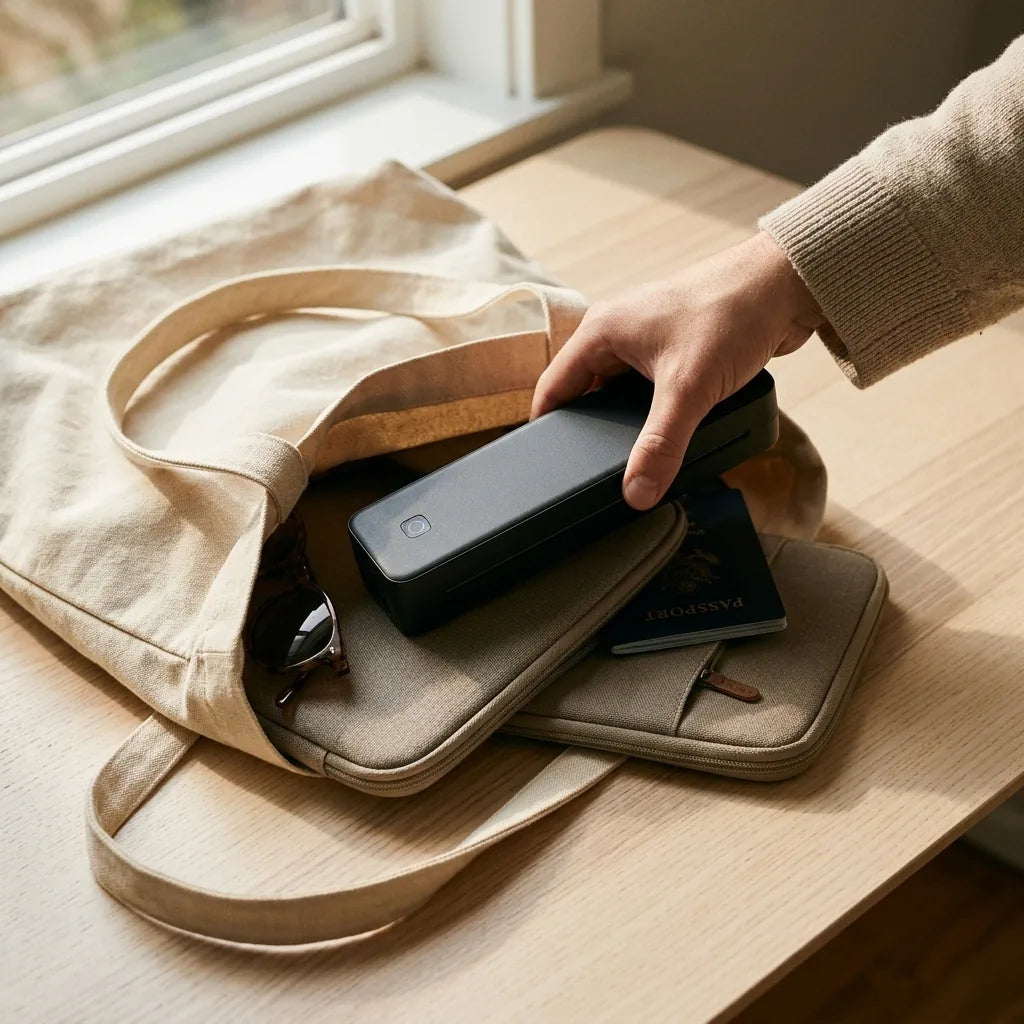
✔ Print anywhere, anytime
✔ Prints with heat, no ink ever
✔ From phone to paper in seconds
CHOOSE YOUR KIT & SAVE
Couldn't load pickup availability
30-Day Money-Back Guarantee
Not happy? Get a full refund within 30 days.
Free Shipping
Free on every order, no minimum.
Tracked Orders
Every order ships with a tracking number.

Inkless Portable Printer
Good to know before you buy
Good to know before you buy
We'd rather you buy with the right expectations:
- Thermal paper only. It prints with heat, so regular copy paper won't work. No ink also means nothing to dry out: you only pay for paper when you actually print.
- Black and white. Made for text, forms, labels and line drawings, not photos or color.
- Everyday documents. Prints can fade over the years, faster in heat and sunlight. Use a regular printer or a copy shop for documents you need to keep long term.
Shipping and Returns
Shipping and Returns
Shipping
- Free shipping on every order.
- Orders are processed within 1 to 3 business days.
- Delivery usually takes around 7 business days after your order ships.
- You’ll get a tracking number by email as soon as your order is on its way.
Returns
- Try it for 30 days. If you’re not happy, we’ll give you a full refund.
- To start a return, email us at awixon.info@gmail.com with your order number. We’ll reply within 24 hours on business days with the return instructions.
- Please return the printer with all included accessories.


HOW IT PRINTS WITHOUT INK
Why it never dries out
Your inkjet fails because it's full of wet, moving parts. This printer simply doesn't have any.
Wet parts that wait to fail
- Liquid ink that dries if you skip a week or two
- Microscopic nozzles that clog
- Cleaning cycles that burn ink while you print nothing
- Cartridges you rebuy again and again
- Chips that can reject cheaper cartridges
Heat, a roller and paper. That's it.
- A strip of tiny heating points across the page
- Paper that darkens exactly where it's heated
- One roller that feeds the page through
- Nothing to dry, clog or refill
- Prints the same in month three as on day one
It's the same heat printing behind every receipt in your wallet, in use since the 1960s. Now at full page size.
BUILT FOR OCCASIONAL PRINTERS
Zero ink. Zero drama.

STEP 1
Charge it and load the paper
Charge with the included USB-C cable. Put a sheet of thermal paper into the slot, shiny side facing the print head as shown in the guide.

STEP 2
Connect your phone in the app
Download the free companion app, turn on Bluetooth and tap to pair. On a laptop, plug in the USB-C cable and install the driver once.

STEP 3
Press print. That's it.
Open your PDF, worksheet, boarding pass or label, choose Letter size and print. A full page slides out in seconds, ready to go.
THE HONEST COMPARISON
Built for a few pages a month
Print every day in color? Keep your inkjet. Print forms, worksheets, tickets and labels now and then? This is the better tool.
YOU'RE NOT IMAGINING IT
Printer frustration is real and documented
Frequently asked questions
Does it really use no ink or toner?
Does it really use no ink or toner?
Yes. It prints with heat on heat-sensitive thermal paper, the same way receipts and shipping labels are printed. There is no ink, toner, ribbon or cartridge inside, so there is nothing to dry out or replace.
Can I use regular printer paper?
Can I use regular printer paper?
No. It only works with thermal paper, because the paper itself darkens when heated. Every kit includes paper, and you can reorder rolls or folded US Letter sheets any time.
How much does the paper cost per page?
How much does the paper cost per page?
Each roll prints about 25 US Letter pages. The bigger the kit, the lower your cost per roll. And unlike ink, paper never dries out, so you only pay for pages you actually print.
Will the prints fade?
Will the prints fade?
Thermal prints are made for everyday documents: forms, worksheets, tickets, labels, invoices and notes. Stored somewhere dark, dry and cool they last for years, but heat, sunlight and friction make them fade faster. For documents you need to keep long term, make a copy on regular paper.
What devices does it work with?
What devices does it work with?
iPhone, Android phones, iPads and tablets connect over Bluetooth through the free app. Windows and Mac laptops connect with the included USB-C cable and a one-time driver install. Laptops cannot connect over Bluetooth.
Can it print in color or print photos?
Can it print in color or print photos?
No. It prints in black and white at 203 DPI, which is sharp for text, forms, labels and line drawings. It isn't designed for photos or color documents.
How long does the battery last?
How long does the battery last?
About 160 pages on a full charge. It charges over USB-C with the included cable and any USB phone charger (a wall plug isn't included).
Which side of the paper faces up?
Which side of the paper faces up?
The coated side has to face the print head. If a page comes out blank, flip the roll over. The quick start guide shows exactly how to load it.
Is it good enough for official or legal documents?
Is it good enough for official or legal documents?
It's great for everyday paperwork like school forms, return labels, boarding passes and invoices. For contracts, loan packages or anything you must archive, we recommend a laser printer or copy shop on regular paper.
What if it isn't right for me?
What if it isn't right for me?
You're covered by our 30-day money-back guarantee. Contact our support team and we'll help you set it up or arrange a return.
How long does shipping take?
How long does shipping take?
Orders are processed within 1 to 3 business days and usually arrive in 8 to 12 business days. You'll get a tracking number by email as soon as your order ships.